
Accessing superbo99 on Mobile
The superbo99 mobile site loads in any browser—Chrome, Safari, Firefox, Edge. Simply type superbo99.bet into your phone's address bar and press Enter. If you already have an account, log in with your email and password. If you are new, registration takes less than two minutes: email, password, and initial payment method selection (DANA, e-wallet, mobile banking, local payment, online payment, e-wallet, or bank transfer).
Once logged in, the mobile interface arranges games into categories: live-dealer tables, slots, sportsbook, and esports. Tap any category to see available games. For live tables, you see the current table list with dealer names, current player count, and stake limits. Tap a table to join instantly.
No app installation is required. We do not ask you to leave your browser or visit an app store. This keeps the process fast and gives you direct control—if you clear your browser cache, superbo99 remains accessible the next time you visit the site.
Mobile Interface and Navigation
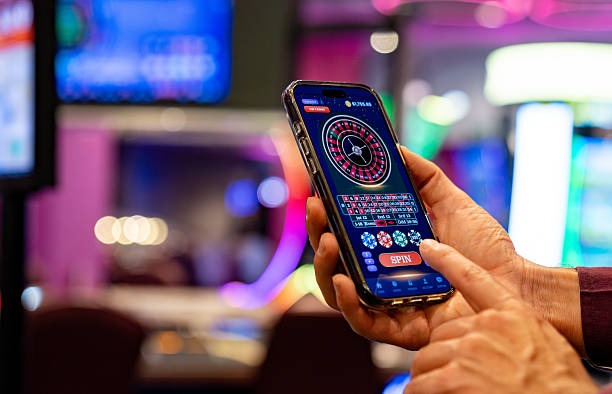
The mobile interface condenses desktop features into vertical scrolling. Your balance appears at the top right in a persistent header. Navigation menus collapse into a hamburger icon (three horizontal lines) so you can open account settings, payment history, and support without cluttering the screen.
Live tables display in a single-column layout on phones. You tap a table card to expand and see dealer info, stake limits, and a button to join. Once at a table, the game video takes up most of the screen—this is intentional, since video quality is the priority during live play. Betting controls sit below the video feed, sized for touch input.
Slots and sportsbook work similarly. Tap a game tile to load it, then interact with the game interface (spin buttons, bet placement) on your phone. The interface is optimized for one-handed play whenever possible, so frequently-used buttons cluster in easy-to-reach zones.
Live Tables on Mobile
Live-dealer tables represent about 60 percent of superbo99's mobile traffic. The reason is straightforward: the mobile video format works exceptionally well for watching a dealer manage a table in real time. You see the wheel spin, cards flip, and dice roll on your screen with no lag. Dealer audio and chat remain responsive even on slower connections.
Our mobile tables run the same games as desktop: blackjack with hit, stand, double, and split options; European and American roulette; baccarat; Dragon Tiger; and Sic Bo. Betting interfaces scale to mobile screens—you tap your desired bet zone, enter your stake, and confirm. The dealer calls bets closed within seconds, then executes the game.
Table limits on mobile are identical to desktop. Low-stake tables suit casual evening play during holidays like Idul Fitri or Idul Adha. Mid-range tables serve regular players. High-limit tables are available for larger stakes. Switching between tables costs nothing—your balance carries across all stake levels.



Deposits and Withdrawals on Mobile
Mobile deposits work identically to desktop. Tap the account menu, select deposit, and choose your payment method. We support mobile banking, local payment, online payment, e-wallet, mobile banking, local payment, and direct bank transfers (online payment, e-wallet, mobile banking, local payment). online payment is popular on mobile because most phones can scan QR codes directly from the payment screen.
The deposit flow is three steps: select payment method, enter amount, confirm. You are then redirected to your wallet or bank app. Approve the payment there, return to superbo99, and your balance updates in real time. Withdrawals follow the same process in reverse—select withdrawal, enter amount, choose payment method, confirm. Processing times vary by method, but most withdrawals clear within hours on business days.
Account verification (KYC) happens once during registration. You upload a government ID photo and a selfie through the mobile app. Our compliance team reviews documents within a few hours. Once verified, you unlock full deposit and withdrawal access.
- e-wallet
- Scan and pay from your bank app or wallet—instant transfer
- mobile banking
- Redirect to local payment app for approval, funds settle instantly
- online payment
- Redirect to e-wallet app, balance updates in seconds
- Bank transfer
- mobile banking, local payment, online payment, e-wallet transfers may take 1-2 hours
Network Performance and Video Streaming
The superbo99 mobile site detects your connection speed on load and adjusts video quality automatically. WiFi or fast 4G LTE delivers HD multi-camera streams with full dealer facial detail and clear audio. Slower 3G or congested mobile networks downgrade to standard definition but maintain smooth playback—the dealer and game flow remain visible and responsive.
We test regularly across all major Indonesian carriers and WiFi conditions. Players in Jakarta, Bandung, or Semarang on standard mobile plans report consistent gameplay. Audio is prioritized over video—if your connection is very weak, video might pause mobile bankingefly but the dealer's voice and the game logic stay synchronized.
If you switch from WiFi to mobile data mid-session, the stream transitions without dropping your table connection. You remain seated at the same table and your bets carry over.
Mobile-Only Features
Some features work exclusively on mobile or are optimized for phone use. Push notifications alert you when a favorite dealer comes online or when a live sportsbook match starts (e.g., Liga 1 games, Piala AFF tournaments, or MotoGP races). You can customize notifications in settings—no alerts means no interruptions during personal time.
One-touch payment shortcuts save your recently-used deposit method so repeat deposits take even fewer taps. Account recovery via SMS works faster on mobile than desktop email recovery.
Auto-orientation means the interface switches between portrait and landscape based on how you hold your phone. Live table betting is optimized for portrait (vertical screen), while some slot games look better in landscape (wide screen). The site detects your phone's orientation and reflows accordingly.
Support and Help on Mobile
Customer support is accessible directly from the mobile menu. Tap the help icon to open live chat, email contact, or phone support. Response times are under one hour during business hours. Support staff speak Indonesian, English, and other regional languages, so communication barriers do not arise.
Common questions are answered in our FAQ, also accessible from the mobile menu. Account issues, payment troubleshooting, game rules, and technical problems are covered. If you cannot find an answer, live chat connects you directly to a support agent.